GTA 6 Birthday Card with Name
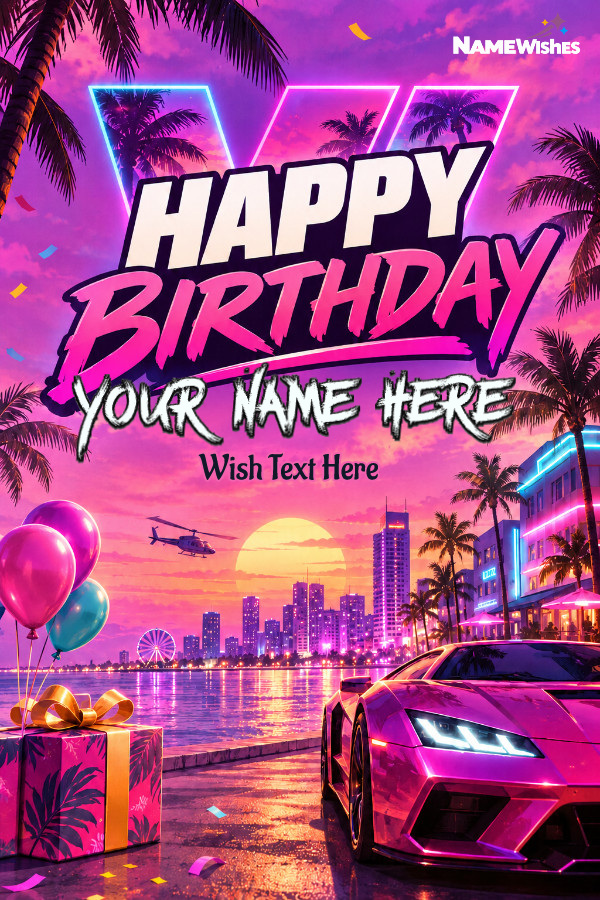
Make a GTA 6 birthday card with the recipient’s name. The portrait design pairs bold Happy Birthday lettering with a neon waterfront, sunset palms, and a hot-pink sports car. Add your friend’s name or gaming nickname beneath the greeting, then download the finished card to share.
Personalize your image
Maximum 80 characters.
Maximum 40 characters.

More about this design
Send a GTA 6 birthday card with name personalization to a friend, sibling, or gaming buddy. Type the name they go by and it appears beneath the large Happy Birthday greeting. A first name works for a family message, while the gamer tag everyone knows is a fun choice for the group chat.
How to personalize your GTA 6 birthday card
Enter the recipient’s name, nickname, or gamer tag in the Name field. You can use up to 30 characters.
Check the spelling and capitalization, especially if their gamer tag uses a mix of uppercase and lowercase letters.
Download the finished birthday card and send it in a message or share it in your gaming group.
A Vice City-inspired birthday greeting for GTA VI fans
Palm silhouettes, neon-lit buildings, and a hot-pink sports car give the card its tropical city-at-sunset look. Balloons and a wrapped gift frame the waterfront scene, and the open sky below the greeting gives the recipient’s name its own space.
What should I put in the Name field?
Use a first name for a personal greeting or the nickname your friends use online. For example, Alex gives the card a classic birthday-card look, while NeonAlex feels like a shout-out to your gaming teammate. A shorter name or familiar nickname gives the lettering more room on the portrait card.