
Happy Birthday Video Maker with Name and Photo
Create a birthday video wish with a name and, on photo-enabled templates, a picture. Choose a design, preview your details and download the video.
Choose your design
10 designs-
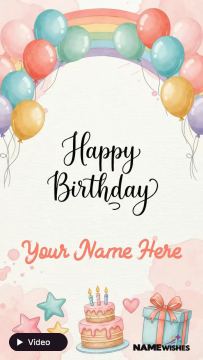 Edit Name With Happy Birthday Video Maker Online
-
 Happy Birthday Status Video with Name Download
-
 Customized Cute Birthday Greetings With Name Edit For Everyone
-
 Personalized WhatsApp Birthday Status - Add Names to Make it Special
-
 Create Customized Birthday Wishes-Add Names to Your Video Greetings!
-
 Name-Embedded Birthday Greetings Video For Husband
-
 Create a Personalized Happy Birthday Wishes Video for Your Wife
-
 Personalized Birthday Wishes for Sister Name Included
-
 Love Birthday Video Wish with Name Free Download
-
 Dinosaur Birthday Video For Kids With Name
More about these wishes

Create a personal birthday video wish
A birthday video greeting brings a name into an animated design. Choose a template for a friend, partner, child or family member, then complete the fields offered by that design. Some templates use text only; photo-enabled templates also let you add a picture.
How to make your video
- Choose a birthday video template.
- Enter the requested name or message and upload a photo if a photo field is available.
- Check the preview and correct any spelling or photo positioning.
- Create the video and keep the page open while it generates, then download it.
The template supplies its design and animation. Available fields vary, so check the selected template before starting. Send the downloaded video as a greeting or use it in a social status where the format is accepted.
Prefer a still image? Browse birthday wishes with name and photo or birthday cake images.
Pick a video for the birthday person
Look at the greeting's visual style and the visitor fields before you begin. A playful video may suit a child; another design may feel more appropriate for a partner or friend. The name is the main personal detail in many birthday videos. When a template also provides a photo field, choose a picture that works with its frame instead of expecting every video to accept an upload.
Decide how much text you need. A first name is often clearer than a full name in a compact animated layout. If the video includes fixed birthday lettering, use the visitor field for the requested personal detail and send your longer message with the downloaded file.
Check the preview before generating
Review both the name and any uploaded picture. Make sure the spelling is right and the face is not cut off by the frame. Play the preview where available so you can judge the greeting in motion rather than from one still image. If a detail is difficult to read, try shorter wording within the allowed field or choose a different design.
Download and share your birthday video
Keep the page open while the browser creates the video. Download the completed file before leaving the result screen. You can attach it to a birthday message or upload it to a status or story if the receiving app accepts the file's format and size. Check that app's current limits if an upload is rejected; a generated video is not a guarantee of compatibility with every social platform.
Birthday video questions
Can I make a video with a name only?
Yes, where the selected template's visitor fields require only text. Choose a name-only design if you do not want to use a photo.
Can I choose my own music or record a voice-over?
This collection uses prepared video templates. Do not expect music selection or voice recording unless the chosen editor specifically provides those controls. Personalization follows the fields available on that template.
Can I use the same photo in an image greeting?
You can choose a photo-enabled birthday image template and upload the picture there too. The photo frame may be different, so review its crop again. A still greeting is another option when you want a simple image attachment.